
Microsoft Sentinel IP Geolocation data from Azure API

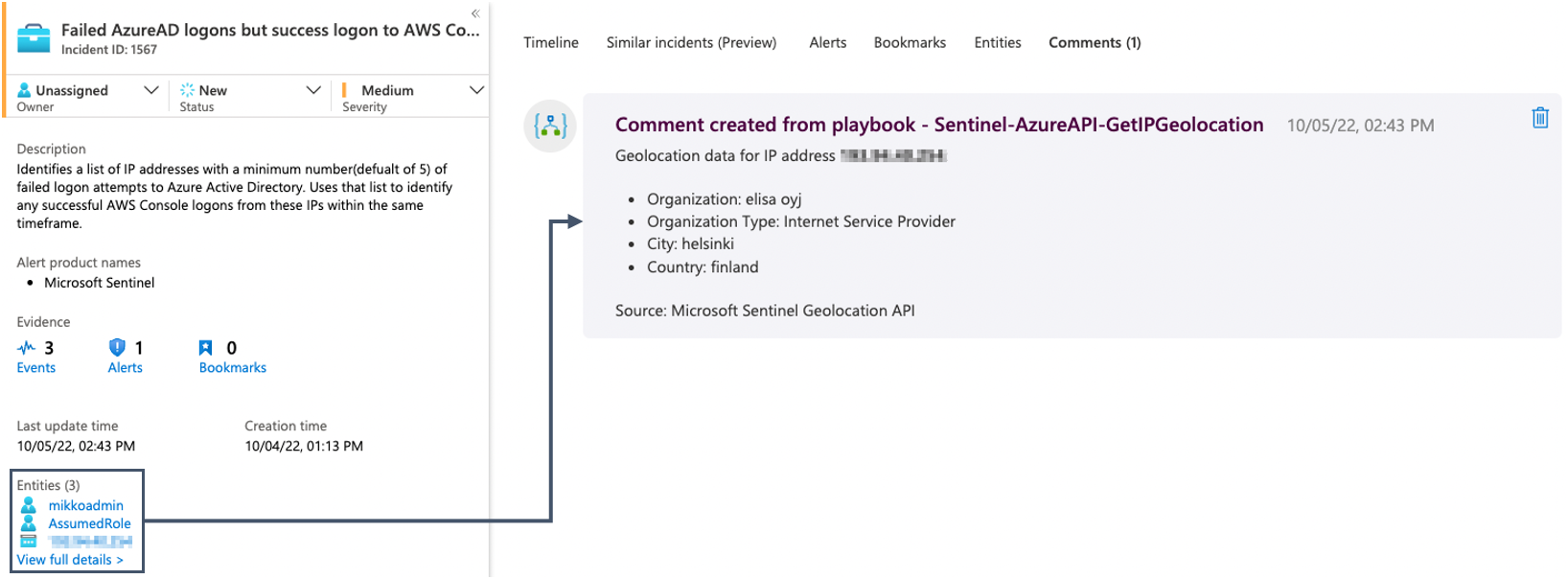
Did you know that Sentinel users have access to free IP Geolocation querying in Azure REST API?
Last year I created a solution for getting IP Geolocation Data to Sentinel Incident comments via the free IP-api.com interface.
This was not usable for corporate users, as that API is free for non-commercial use only. Now that we have a similar API in Azure, I thought to revisit this idea quickly and test how the new API works for getting IP geolocation data.
I successfully tested creating a Playbook that triggers from a Sentinel incident, parses IP entities, queries IP geolocation data from Azure API and writes the results as Incident comments. Example output can be seen in the above screenshot.
Note that this is the exact same data you can also see by opening the IP entity page. Having the same data in Incident comments might not be the most useful solution. But from this simple example it is not a long step to make even more use of the geodata, eg. writing enriched incident entity case logs in external ticketing systems or such.
Read more about the API from Microsoft: https://learn.microsoft.com/en-us/azure/sentinel/geolocation-data-api
Technical details
In my example I created a Sentinel Automation Rule which has the following core logic:
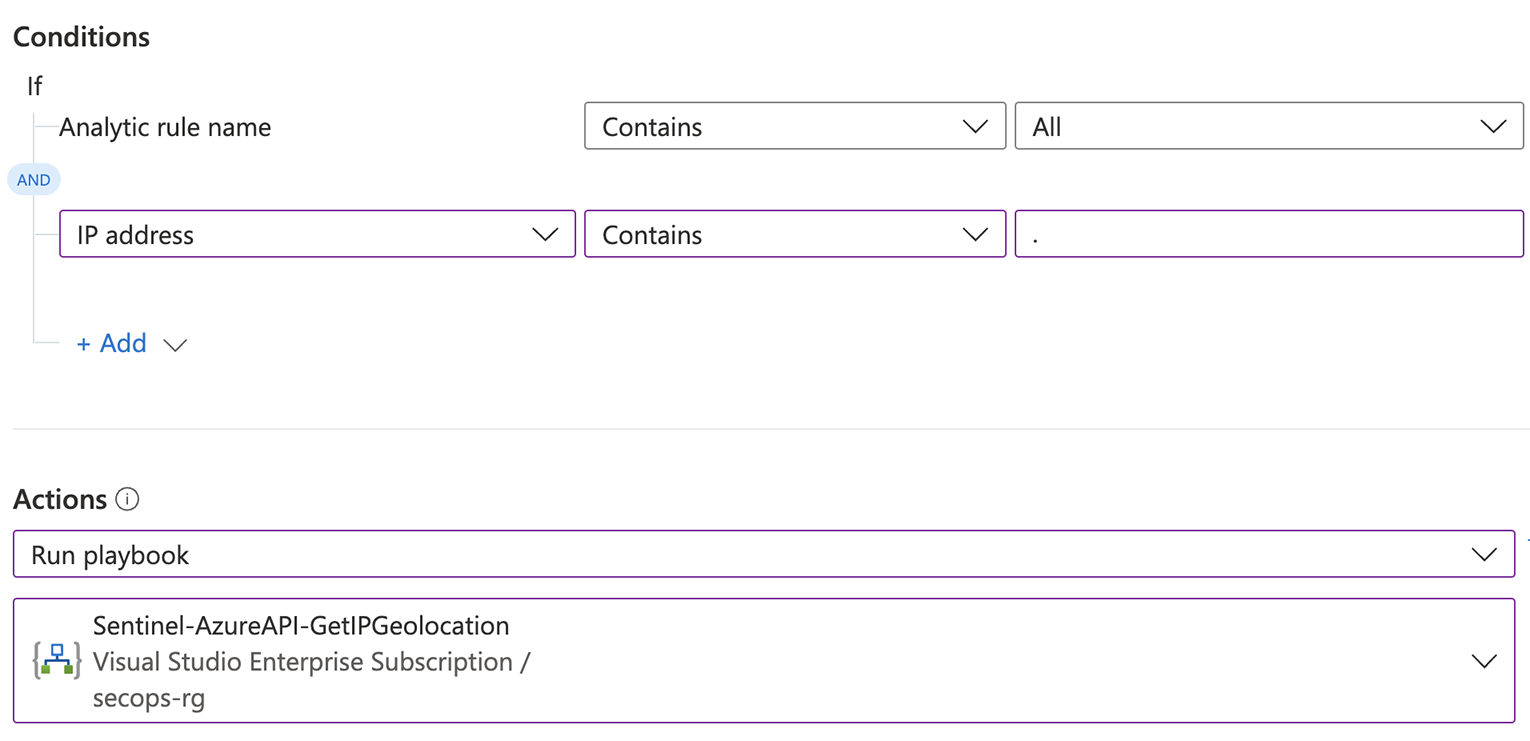
This rule makes sure that a playbook is run for every incident which contains IP entities.
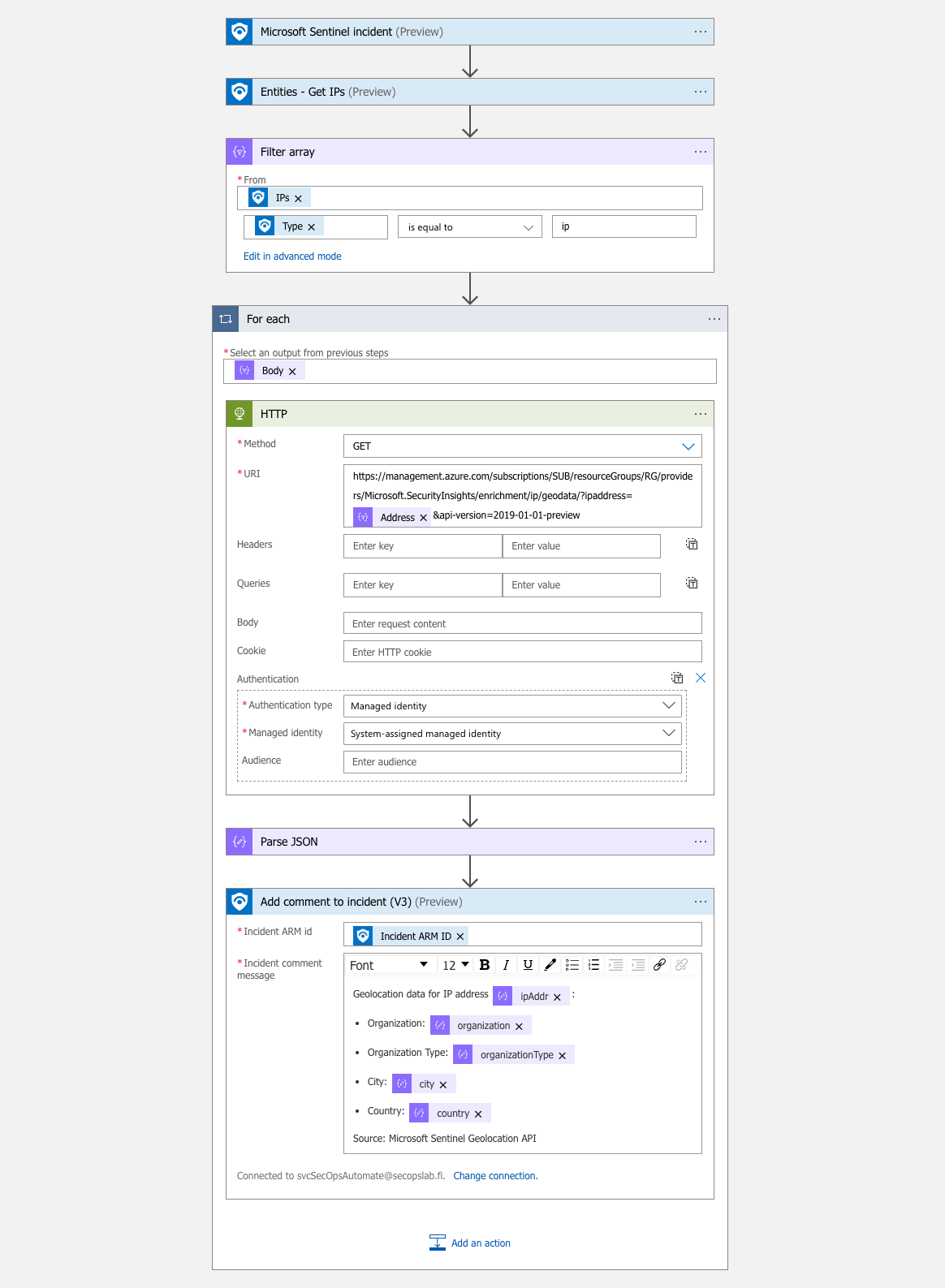
The playbook itself has the following main steps:
All IP Entity data is fetched from the incident with the “Entities - Get IPs” action.
For each IP address we send a HTTP GET request to Azure API, containing the IP address.
For querying the API, the Logic App can use a Managed Identity. The Managed Identity needs a Reader role assignment for the Sentinel Resource Group.
All Geolocation results are parsed via Parse JSON action. You can get the sample schema from manually querying the API once.
The parsed results are written back to Sentinel with the Add comment to incident action.
This was done as a quick POC so I have no deployable template to provide you, at least for now. But you can see the main steps from the following Logic App Designer screenshot:
Results
In this POC the results are just simple comments in Sentinel Incidents:
But as said, there are lots of uses for geolocation data once you have a good interface to get it from.